The world of smart television operating systems can often feel like a digital jungle. For years, Android TV was the reigning champion for those wanting a customizable, app-rich experience. Then Google TV entered the chat, causing significant confusion. Are they the same? Is one better? And more importantly, which one should power your next Earthonic 4K UHD Smart LED TV?
If you are looking to upgrade your home entertainment setup, understanding the software that drives your display is just as crucial as the hardware specs. To get the most out of your new TV, pairing it with the right peripherals matters too, whether that means understanding HDMI cable differences or deciding whether HDMI 2.1 for 4K TVs is necessary.Let’s break down the Google TV vs. Android TV debate in detail, so you can make an informed decision.
1. The Evolution: From Android TV to Google TV
To understand the present, we look at the past. Android TV has been around since 2014, offering a grid-based interface focused on apps. It was functional but often felt clunky. Fast-forward to recent years, and Google began rolling out Google TV as a replacement interface rather than a new operating system from scratch.
Technically, Google TV is a skin or a launcher that runs on top of the Android TV OS. Think of it this way: Android TV is the engine, and Google TV is the luxury interior. As of 2024, Google TV and Android TV OS combined have surpassed 270 million active devices, a massive jump from 150 million in early 2023. This growth signifies a major shift in how Google is approaching the living room experience.
2. User Interface & Experience: Content vs. Apps
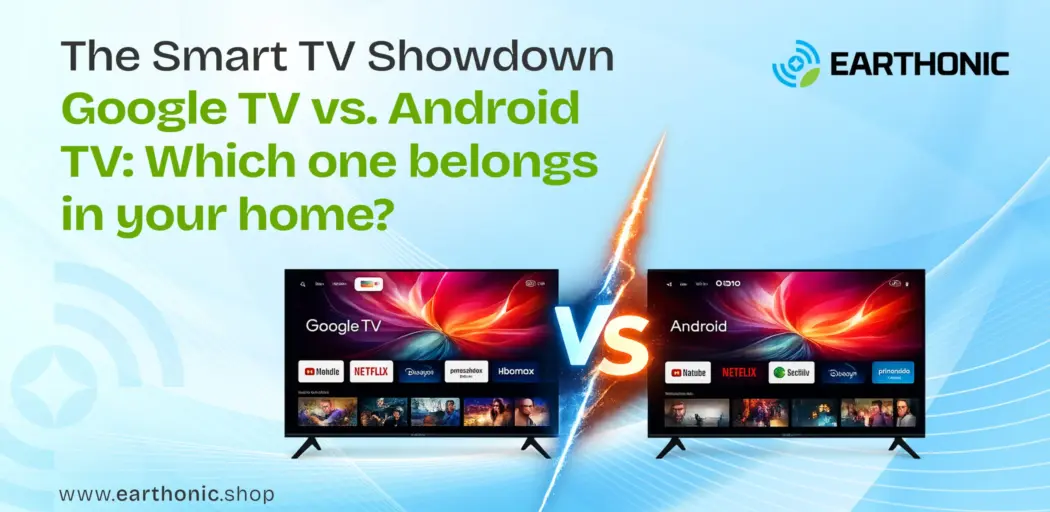
The most immediate difference you will notice is the home screen layout.
- Android TV: Utilizes a horizontal ribbon of apps. It is very functional, but requires you to know which app you want to open to find content. It focuses on “Where is the app?”
- Google TV: Takes a content-forward approach. Instead of just listing apps, the home screen showcases movies and shows recommended for you right at the top. It organizes content from various apps (such as Netflix, Prime Video, and Disney+ Hotstar) into a unified feed based on your viewing habits.
The Verdict: If you want a smart TV that curates content for you rather than making you hunt for it, Google TV is the winner. It leverages Google’s AI to suggest what to watch, making content discovery effortless.
3. The “For You” Tab and Personalization
Google TV introduces a dedicated “For You” tab powered by machine learning. It aggregates recommendations from all your subscribed services. Android TV lacks this level of aggregation; its recommendations are usually limited to the “Recommendations” row from a single app.
Furthermore, Google TV supports multiple profiles. If you have a family, each member can have their own personalized space with watchlists and recommendations tailored to them, including child profiles with parental controls. Android TV supports multiple Google accounts, but switching between them is less seamless and lacks dedicated child-centric features.
4. The Live TV Integration
In a world where cord-cutting is rampant, live TV isn’t dead; it’s just evolving. Google TV has a dedicated “Live” tab that integrates YouTube TV, Sling, and other live TV services, displaying channel guides and current programming in a grid format. Android TV treats live TV as just another app, requiring you to open a specific application to see what’s on.
5. HDMI and Gaming Performance: Why the Cable Matters
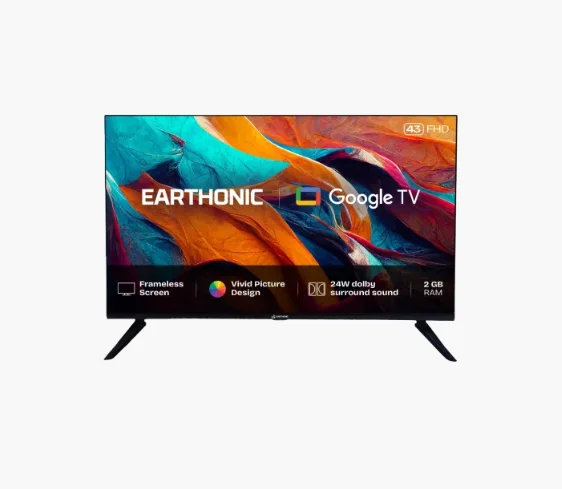
Now, let’s talk about the physical connection that brings this digital magic to life. Whether you choose a TV with Google TV or Android TV, you are likely looking at a 4K panel. For models like the Earthonic 55″ 4K UHD Smart LED TV, you need the right pipeline to stream that data.
This is where the debate of HDMI 2.0 vs 2.1 comes into play.
- HDMI 2.0: Supports 4K at 60Hz (18Gbps bandwidth). This is perfectly fine for movies and standard streaming.
- HDMI 2.1: Supports 4K at 120Hz and even 8K (48Gbps bandwidth). It introduces features such as Variable Refresh Rate (VRR) and Auto Low Latency Mode (ALLM), which are essential for next-gen console gaming.
So, does HDMI 2.1 matter? If you are a gamer with a PS5 or Xbox Series X, absolutely. It ensures you get smooth, tear-free gameplay. To achieve this, you need a certified cable. The Earthonic High Performance HDMI Cable is designed to handle exactly this, supporting 4K UHD @ 60Hz (and higher bandwidths for advanced gaming) with HDR support to ensure that the Google TV interface pops with vibrant colors.
| Feature | Android TV | Google TV |
| Primary Focus | App-based navigation | Content-centric discovery |
| User Profiles | Limited, separate Google accounts required | Seamless profiles (including Kids) under one account |
| Live TV | Accessed via individual apps | Dedicated “Live” tab aggregating sources |
| Search | Basic app search | Universal search across all platforms |
| AI Integration | Standard Google Assistant | Gemini/Advanced AI for proactive suggestions |
6. Smart Home and Voice Control
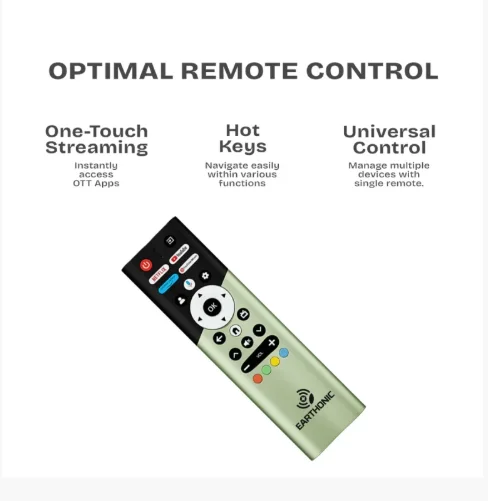
Both operating systems support Google Assistant, allowing you to control your smart home devices, check the weather, or dim the lights. However, with Google TV’s enhanced interface, smart home controls are more front-and-center, accessible via a dedicated button on the remote and home-screen shortcuts. Android TV requires you to invoke the assistant or dig into menus.
7. Availability and the Future
Google is pushing hard for Google TV adoption. Major brands like Sony, TCL, and Hisense are launching new models with Google TV rather than the older Android TV interface. Statistics from Omdia show that brands like TCL and Hisense are significantly increasing their market share in North America and other regions, largely because of the appeal of the Google ecosystem.
While Android TV devices aren’t dead, they are now considered the “legacy” experience. Google TV represents the future roadmap, with new features like Gemini AI integration rolling out first to Google TV devices.
8. Which One Should You Buy?
When browsing Earthonic’s collection, your choice boils down to personal preference:
Choose Android TV if:
- You prefer a simple, no-frills app grid.
- You are concerned about Google tracking your viewing habits for recommendations.
- You are using an external streaming device that has its own interface.
Choose Google TV if:
- You want the most up-to-date software features from Google.
- You want a modern, vibrant interface.
- You have a family and need separate profiles.
- You want AI-driven recommendations to help you find something to watch.
Still Curious about Which TV to Buy?
Read Our Buying Guide to know More
Conclusion
In the battle of Google TV vs. Android TV, Google TV is the clear evolution. It takes the robust foundation of Android TV and wraps it in a user-friendly, intelligent, and visually appealing layer. As Google continues to integrate more AI and smart features, the gap will only widen.
Ready to upgrade your viewing experience?
Explore Earthonic’s range of smart displays.
Pair your new 65-inch 4K Ultra HD Smart LED TV with a high-speed HDMI cable to ensure you are getting every pixel of detail, whether you’re browsing the Google TV interface or gaming at peak performance.