
The rain is falling outside your window. You are cozy inside, watching a movie or scrolling on your phone. Everything seems fine.
But here is the uncomfortable truth. Your gadgets are under attack right now. And you cannot see a single thing happening.
Monsoon in India is not just about waterlogging and traffic jams. It is a silent enemy for your electronics. Humidity, temperature shifts, and moisture in the air are slowly damaging your expensive devices from the inside out.
This is your monsoon gadget protection tips India guide. Let us uncover the 7 invisible threats and exactly what you can do about them.
Explore Surge-Safe Charging Accessories Built for Indian Weather
Protect your devices this monsoon.
Discover Earthonic’s range of weather-ready charging solutions.
Humidity Is Slowly Killing Your Circuit Boards
You cannot see it. You cannot feel it. But humidity levels in Indian cities during monsoon often exceed 80%. That moisture is everywhere.
According to research on electronic system reliability, moisture acts as a chemical agent that causes the deterioration of electronic components. At high humidity levels, increased conductivity leads to hazards for both the device and its surrounding environment.
What is happening inside your gadgets: The invisible water vapour in the air is condensing on circuit boards, creating microscopic bridges between electrical contacts. This causes corrosion, short circuits, and eventually device failure.
The fix: Keep silica gel packets in your gadget drawers, laptop bags, and camera cases. These are your best monsoon accessory. They absorb ambient moisture and help prevent the slow, invisible kind of humidity damage that shows up as a foggy camera lens or a sluggish keyboard weeks into the season.
Your Smart TV's Cooling System Is Getting Choked
That sleek Smart TV on your wall? It needs to breathe.
During monsoon, airborne dust particles become more adherent in humid conditions. This can compromise your television’s cooling system. The vents and fans that keep your TV cool get clogged with damp dust, leading to overheating and reduced lifespan.
What is happening inside your TV: Restricted airflow means components run hotter than they should. Over time, this accelerates wear on capacitors, processors, and display drivers.
The fix: Keep your TV in a well-ventilated area. Maintain space between the TV and the wall. Use a soft brush to clean dust from vents gently. Do not place the TV near open windows or balconies during rain.
Charging Ports Are Corroding Without You Realising
Modern phones don’t have port covers anymore. This makes them the weak point during monsoon.
Moisture sitting in a USB-C or Lightning port for extended periods can cause corrosion even if the phone itself is otherwise fine. The warning message about moisture in the charging port is not a suggestion. It is a serious alert that many users ignore until it is too late.
What is happening: The metal pins inside your charging port are slowly oxidising. This increases resistance, reduces charging speed, and eventually makes the port unusable.
The fix: If your phone gets wet, do not plug in a charger until it dries out completely. Consider using port plugs when stepping out in heavy rain. Always dry the port thoroughly before charging.
Want the Distance Math Behind These Sizes?
See exactly how seating distance, room shape, and screen size line up for 50, 55, and 65-inch TVs.
Laptops Are Not as Safe as You Think
Working from home during monsoon? You are not necessarily safe just because you are inside. Elevated relative humidity permeates every space and can gradually erode the internal components of your laptop.
Most laptops have no water resistance whatsoever unless indicated. A damp desk near a window or balcony is enough to cause damage over time.
What is happening: Moisture seeps into the keyboard, trackpad, and internal components. The motherboard is particularly vulnerable. A small amount of moisture can cause corrosion that leads to expensive motherboard failure.
The fix: Use a laptop sleeve with water resistance, even at home. Keep silica gel close to your device. Avoid charging near open windows when it is raining. If your laptop gets wet, shut it down immediately, unplug it, and do not attempt to power it on until it has dried thoroughly.
Upgrade to a Reliable HDMI Setup This Monsoon
Don’t let moisture ruin your viewing experience.
Shop Earthonic’s High-Performance HDMI Cable for stable connections.
Earbuds Are More Fragile Than You Think
That “water-resistant” rating on your wireless earbuds? It is often IPX4, which means sweat resistance, not rain protection.
During monsoon commutes, moisture can get into the mesh over the drivers. The real danger is putting a wet earbud back into its charging case. This can damage both the earbud and the case itself.
What is happening: Moisture trapped in the earbud’s mesh corrodes the driver or charging contacts. When placed in the case, the moisture transfers, potentially shorting the case’s charging circuitry.
The fix: If your earbuds get wet, remove them from the case, wipe them down, and let them air dry fully before putting them back to charge. Skip Bluetooth use in heavy rain if you can.
Silica Gel: Your Gadget's Best Friend
This one deserves its own mention. The small packets that come with new shoes and electronics are not trash. They are your monsoon survival kit.
Several users have reported that adding silica gel packets to camera bags eliminates fogging issues during monsoon. The same applies to laptop bags and gadget drawers.
What is happening: Silica gel absorbs moisture from the air, creating a dry micro-environment around your devices. This prevents condensation, corrosion, and fungal growth.
The fix: Keep a few silica gel sachets in your laptop bag, camera bag, and gadget drawer. Replace them every few weeks or when they change colour (indicating they are saturated).
Water Resistance Is Not Waterproofing
Here is the most dangerous myth of all. An IP68 rating does not mean your phone is a submarine.
IP68 implies submergibility, but only for a certain depth in clean water within lab conditions. It does not mean protection against mud-contaminated waters that come with sewage and salt.
Most laptops, tablets, and earphones do not have any kind of water resistance unless indicated.
What is happening: People assume their gadgets are protected and take unnecessary risks. Then they are surprised when the device fails.
The fix: Think of IP ratings as protection against accidental splashing, not a ticket to walk through flooded streets with your phone. If you commute on a two-wheeler, a proper rain cover is non-negotiable. A grocery bag knotted around your phone is not a strategy.
Quick Reference: Monsoon Gadget Care Checklist
|
Invisible Threat |
What You Cannot See |
Action Required |
|
High humidity |
Moisture corrosion on circuit boards |
Use silica gel packets in storage |
|
Choked cooling system |
Dust-clogged vents and fans |
Keep TV away from windows; clean vents regularly |
|
Port corrosion |
Oxidising charging pins |
Dry ports before charging; use port covers |
|
Laptop moisture |
Seepage into keyboard and motherboard |
Use a water-resistant sleeve; avoid damp desks |
|
Earbud damage |
Moisture in drivers and charging contacts |
Air-dry before placing in charging case |
|
IP rating myths |
False sense of security |
Treat devices as splash-proof, not water-proof |
The Bottom Line: Prevention Is Cheaper Than Repair
A motherboard replacement for a laptop costs thousands. A new phone after water damage costs tens of thousands. A set of silica gel packets costs under ₹200.
The monsoon gadget protection tips India needs are simple, inexpensive, and highly effective. A few minutes of preparation now can save you months of frustration and repair costs later.
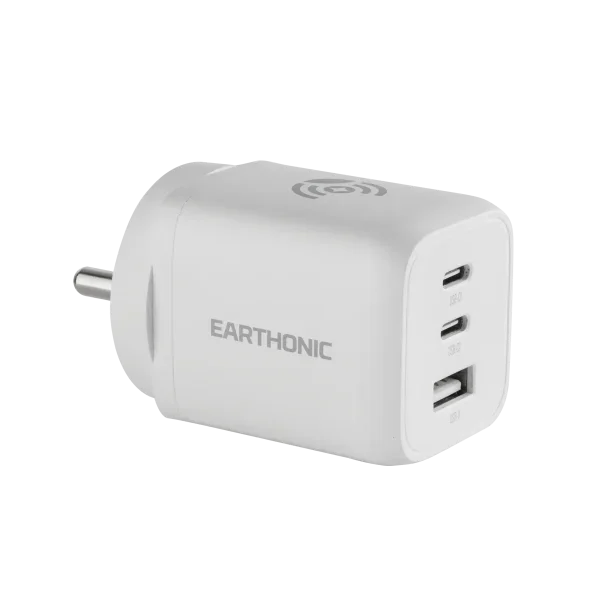
And while you are protecting your gadgets, consider upgrading your accessories to ones built to withstand Indian weather conditions. A reliable charger and HDMI cable with proper insulation and safety features make a real difference during the humid months.
Explore Our Must-Have Gadgets for a Cozy and Connected Home
From monsoon protection to year-round comfort.
Discover the gadgets that make your home smarter and safer.
Final Word: Do Not Wait for the Damage to Show
The seven things happening to your gadgets right now are invisible. You will not see the corrosion, the moisture ingress, or the oxidation until the device fails.
By then, it is too late.
Take action today. Dry your ports. Keep silica gel in your bags. Treat your gadgets with the respect they deserve. The rain will eventually stop. But the damage it causes can last a lifetime.
FAQs
1. Can humidity damage a smart TV even when it isn't switched on?
Yes. High relative humidity allows water vapour to enter the TV housing through ventilation grids. Once inside, this moisture settles on the internal components. In fact, leaving a TV turned off for weeks in high humidity can be worse, as the internal operational heat generated during regular use actually helps dry out minor ambient dampness.
2. What are the early warning signs of moisture damage in gadgets?
Early indicators include a temporary fog or condensation layer behind camera lenses or screens, erratic touchscreen behavior, sluggish or unresponsive keyboard keys, a “moisture detected” warning in charging ports, and crackling audio coming from speakers or wireless earbuds.
3. Should I unplug my TV and chargers during monsoon thunderstorms?
Absolutely. Heavy monsoon downpours in India are frequently accompanied by severe lightning strikes and power grid fluctuations. Merely turning off the switch isn’t enough; physically pulling the power cords out of the wall sockets protects your delicate electronics from high-voltage transient surges.
4. Do surge protectors actually help protect electronics in monsoon?
Yes, high-quality surge protectors act as an electrical firewall. They absorb excess voltage spikes caused by lightning or grid switching, diverting the dangerous current away from connected devices like your smart TV, router, or computer setup.
5. Can silica gel packets protect a TV or charger from humidity?
Silica gel works exceptionally well in enclosed micro-environments like camera bags, laptop sleeves, or plastic storage bins. While a few packets cannot dehumidify an entire open living room to protect a wall-mounted TV, placing them inside your closed entertainment console cabinets helps protect media streaming sticks, gaming consoles, and charging docks.
6. How often should I clean TV vents and ports during monsoon?
You should gently clean your TV vents at least once every two weeks during the rainy season. Because high humidity makes airborne dust sticky and prone to clumping, regular cleaning prevents the mesh screens from forming a thick crust that blocks crucial heat dissipation.
7. Is condensation inside a TV screen dangerous?
Yes, liquid droplets forming inside the panel assembly can cause permanent short circuits across the delicate display driver lines, leading to permanent vertical color lines or complete screen failure. If you spot internal condensation, do not power the television on; let the room dry out completely or consult a technician.
8. What is the ideal indoor humidity level to keep gadgets safe?
The optimal indoor relative humidity range for electronic equipment storage and operation is between 30% and 50%. When ambient outdoor conditions push past 80% during peak monsoon, utilizing ceiling fans to maintain air circulation, running air conditioners in dry mode, or using dedicated room dehumidifiers helps protect your hardware investments.