
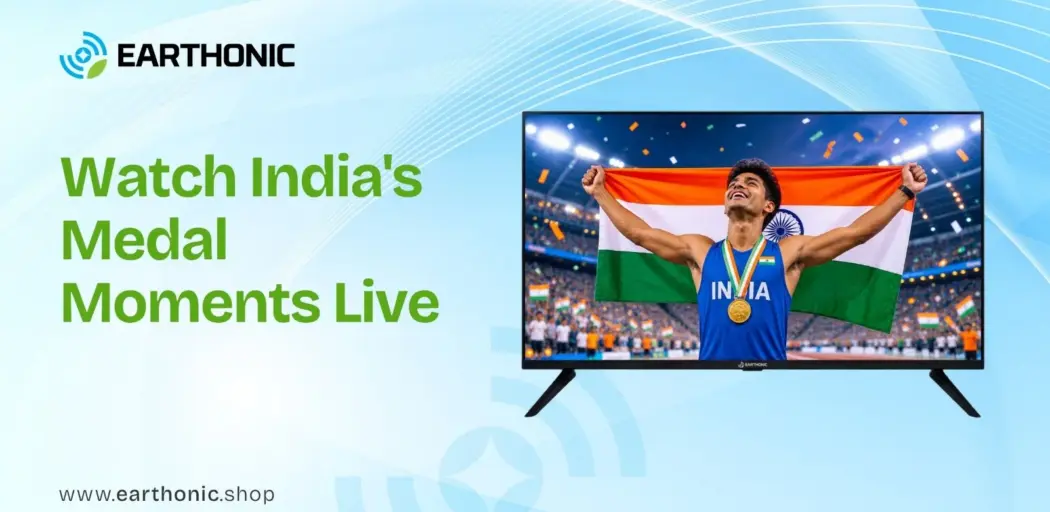
The Commonwealth Games 2026 are here. Glasgow, Scotland, is hosting a streamlined edition of the Games from July 23 to August 2, with over 3,000 athletes from 74 countries competing across 10 sports. For India, this is a massive moment. A 125-member contingent is chasing medals in athletics, boxing, weightlifting, judo, and more.
But here is the real question. Are you ready to watch every medal moment without a single glitch?
This guide covers exactly how to watch the Commonwealth Games 2026 live streaming, which TV channels to tune into, and how to set up your Smart TV for the smoothest sports viewing experience.
Watch the Commonwealth Games on Earthonic Smart TVs
Experience every medal moment in stunning clarity.
Where to Watch Commonwealth Games 2026 Live in India
Sony Pictures Networks India has secured the exclusive broadcast and digital rights for the Commonwealth Games 2026. Here is exactly where you need to go.
|
Platform |
Channel / App |
Languages Available |
Notes |
|
TV Broadcast |
Sony Sports Ten 2 SD & HD |
English |
Primary broadcast channel |
|
TV Broadcast |
Sony Sports Ten 3 SD & HD |
Hindi |
Regional language coverage |
|
TV Broadcast |
Sony Sports Ten 4 |
Tamil, Telugu, Kannada |
Southern language feed |
|
TV Broadcast |
DD Sports |
Multiple |
Free-to-air on DD Free Dish |
|
Live Streaming |
Sony LIV App & Website |
Multiple |
All events, replays, highlights |
Key detail: India is 4 hours and 30 minutes ahead of Glasgow. Daily events generally run from 1:00 PM IST (morning sessions in Scotland) through 2:45 AM IST (evening sessions), so be prepared for late nights and early mornings.
Perfect for live sports. 4K clarity, Dolby Audio, and a 2-year warranty
Watch every six, every tackle, every medal moment.
India's Medal Hopes: Who to Watch
India is fielding a strong contingent across 13 disciplines. Here are the names to track.
|
Athlete |
Sport |
Event |
Why They Matter |
|
Neeraj Chopra |
Athletics |
Men’s Javelin Throw |
Olympic and world champion. Won silver at Glasgow 2026 with a season-best throw of 85.83m |
|
Mirabai Chanu |
Weightlifting |
Women’s 48kg |
Won third consecutive Commonwealth gold in Glasgow |
|
Jaismine Lamboria |
Boxing |
Women’s 57kg |
Won gold, defeating defending champion Michaela Walsh. Flag-bearer for closing ceremony |
|
Asmita Dey |
Judo |
Women’s 48kg |
Became India’s first-ever Commonwealth Games judo gold medallist |
India’s final tally: India finished fourth in the medal standings with 39 medals—13 gold, 17 silver, and 9 bronze. Boxing was the biggest contributor with 10 medals (7 gold), followed by athletics (16 medals) and weightlifting (9 medals).
Master live sports streaming on your Smart TV.
From IPL to Commonwealth Games, get the best setup tips.
Best TV Settings for Watching Live Sports
You have the broadcast figured out. Now let us make sure your TV is actually showing the action properly.
Picture Mode: Sports or Standard
Most Smart TVs have a dedicated Sports mode. What does it do? It cranks up brightness, colour saturation, and contrast to make the action “pop.” For cricket, athletics, or boxing, this can be useful. But some experts recommend Standard mode instead for a more realistic picture with better contrast between team kits.
Our recommendation: Try both during the warm-up. See which one feels more natural to your eyes. Sports mode is not wrong for live events—just be aware it looks artificial for movies.
Motion Smoothing: Turn It On For Sports
This is the opposite of what you do for movies. For films, motion smoothing creates the “soap opera effect” and should be off. But for sports, it is your best friend.
Motion smoothing adds extra frames to the video, reducing motion blur. When a javelin is flying through the air or a boxer is throwing a combination, you want to see every detail.
What to look for in your TV settings:
|
TV Brand |
Motion Smoothing Setting Name |
|
LG |
TruMotion |
|
Samsung |
Auto Motion Plus or Picture Clarity |
|
Sony |
Motionflow |
|
TCL |
Action Smoothing |
|
Hisense |
Motion Enhancement or MEMC |
Important: Turn motion smoothing back off once the Games are over unless you watch sports year-round.
Colour and Contrast: Keep It Balanced
If you are watching a bright sport like athletics on a sunny track, you may want higher contrast. If you are watching boxing under arena lights, the lighting is different. A good rule: start with the Standard or Sports preset and make small adjustments.
- Brightness: Turn off any ECO or Energy Saving modes for maximum brightness.
- Sharpness: Zero is fine. Too much sharpness creates unnatural outlines.
- Colour temperature: Standard mode’s slightly cooler temperature suits live broadcasts well.
From refresh rates to motion handling.
Find out what makes a TV great for cricket, football, and the Commonwealth Games.
Quick Troubleshooting: When Things Go Wrong
|
Problem |
Most Likely Fix |
|
Buffer on Sony LIV |
Check internet speed; switch to 5GHz Wi-Fi or Ethernet |
|
Motion blur on fast action |
Turn on motion smoothing setting for your TV brand |
|
Audio out of sync |
Restart the app; if it persists, restart the TV |
|
Picture looks too bright/dark |
Switch between Sports and Standard modes |
|
Can’t find Sony LIV app |
Search Google Play Store or Smart TV app store |
Want the Distance Math Behind These Sizes?
See exactly how seating distance, room shape, and screen size line up for 50, 55, and 65-inch TVs.
The Bottom Line
The Commonwealth Games 2026 is India’s chance to shine. With 39 medals and historic performances in boxing, weightlifting, and judo, every moment matters. Make sure you are ready.
Set up Sony LIV on your Smart TV. Tune into Sony Sports channels if you prefer cable. Adjust your picture settings for sports. And most importantly, don’t miss Neeraj Chopra’s javelin throw, Mirabai Chanu’s weightlifting, or the boxing finals.
Your TV is your window to Glasgow. Make sure the glass is crystal clear.
FAQs
1. How can I watch the Commonwealth Games 2026 in India?
You can watch the Commonwealth Games 2026 live on Sony Sports Network channels (Ten 2, Ten 3, Ten 4) or stream on the SonyLIV app. DD Sports also provides free-to-air coverage on DD Free Dish.
2. Can I watch Commonwealth Games live on a smart TV?
Yes. Download the SonyLIV app from your Smart TV’s app store (Google Play Store on Android TVs), log in with your subscription, and start streaming live events, replays, and highlights.
3. Which TV size is best for watching live sports?
For an immersive sports viewing experience, a 55-inch to 65-inch 4K TV is ideal for most Indian living rooms. Larger screens like 75-inch models work well for bigger spaces.
4. Does refresh rate matter for sports viewing?
Yes. A 120Hz refresh rate reduces motion blur during fast-paced action like athletics, boxing, and weightlifting. It makes the ball, athletes, and camera pans appear smoother.
5. Is 4K important for watching sports?
4K resolution provides sharper detail, especially on larger screens. It allows you to see player expressions, ball tracking, and stadium details more clearly.
6. What smart TV features are useful for live sports?
Key features include motion smoothing (reduces blur), Sports picture mode (optimises brightness and contrast), high refresh rate (120Hz), and low input lag for responsive viewing.
7. Is a 65-inch TV good for sports?
Yes. A 65-inch 4K TV provides excellent immersion for live sports, especially when viewed from 7.5 to 9 feet away. It balances size with practicality for most Indian living rooms.
8. How can I avoid missing live sports action?
Set reminders for key events, use your TV’s Sports mode, turn on motion smoothing, ensure stable internet (preferably Ethernet), and keep the SonyLIV or Sony Sports app ready before the event starts.