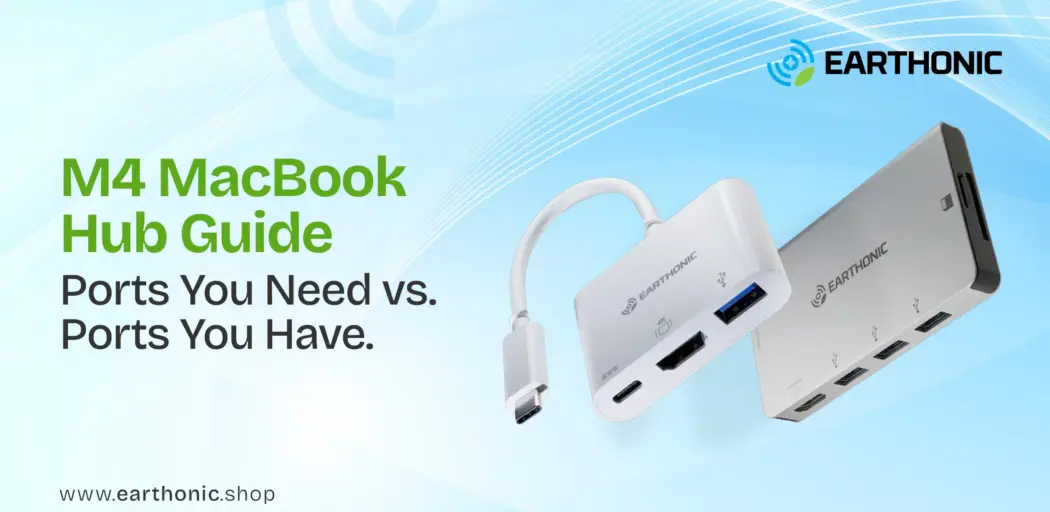
Apple’s M4 chip has arrived, and it’s a beast. Whether you choose the sleek, portable MacBook Air M4 or the powerhouse MacBook Pro M4, you’ve invested in serious performance. But here’s the catch: both come with the same minimalist port selection that Apple is famous for.
Two or three USB-C ports. That’s it. No HDMI. No SD card slot. No USB-A for your older peripherals.
This is where a multiport usb c hub becomes essential. But here’s the question that nobody is answering clearly: Does the Air user need the same hub as the Pro user?
Spoiler: No. Your workflow dictates your hub. Let’s break down exactly what a MacBook Air M4 USB-C hub setup 2026 looks like versus a Pro setup with the Earthonic Hub setup, so you buy exactly what you need and nothing you don’t.
The Port Situation: Air vs Pro
Before we talk hubs, let’s understand what you’re working with.
| Feature | MacBook Air M4 | MacBook Pro M4 (14″/16″) |
| USB-C / Thunderbolt Ports | 2 ports (left side) | 3 ports (usually 2 left, 1 right) |
| HDMI Port | ❌ No | ✅ Yes (built-in) |
| SD Card Slot | ❌ No | ✅ Yes |
| MagSafe Charging | ✅ Yes | ✅ Yes |
| Headphone Jack | ✅ Yes | ✅ Yes |
The takeaway: The MacBook Pro M4 already solves two of the biggest pain points, HDMI and SD cards, right out of the box. The MacBook Air M4 solves none. This fundamental difference changes everything about your hub strategy.
The Port Situation: Air vs Pro
Not everyone needs a 7-in-1 beast. Here’s how to match your hub to your actual life.
Samsung Crystal 4K: Best for brand loyalists who prioritize a trusted international name and are willing to pay extra for a well-calibrated entry-level 4K panel, even if it means compromising on audio and onboard storage.
Setup 1: The Minimalist (For Air Users Who Just Present)
You’re a student, a consultant, or a sales professional. Your laptop lives in your bag. You occasionally need to plug into a conference room projector or a hotel TV. That’s it.
- What you need: A compact usb c hub with just HDMI and a passthrough charging port. Nothing more.
- Recommended Hub: Earthonic 2-in-1 Docking Station (HDMI + 100W PD)
- Why it works: At just ₹608, this is the most affordable entry point. The 4K @ 60Hz HDMI output handles any external display, and the 100W Power Delivery keeps your Air M4 charged while you present. It’s pocket-sized and solves the Air’s biggest missing port without adding bulk you’ll never use.
- Best for: Light presenters, students, frequent travelers.
Setup 2: The Office Hybrid (For Air & Pro Users Who Multitask)
You work from home, from cafes, and from an office desk. You need to connect a monitor, a wireless mouse dongle, a keyboard, and maybe an external drive. You want a clean, single-cable setup.
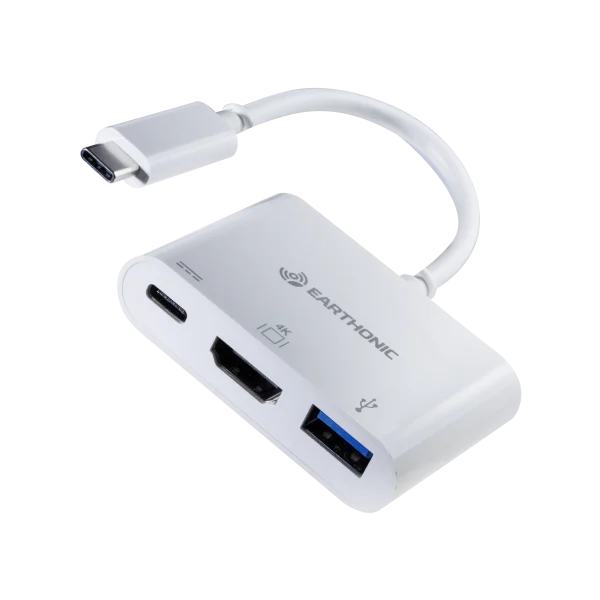
- What you need: A usb c hub with HDMI plus at least one USB-A port and passthrough charging. The 3-in-1 sweet spot.
- Recommended Hub: Earthonic 3-in-1 USB-C Hub (HDMI + USB-C PD + USB-A 3.0)
- Why it works: At ₹920, this is the best value for money. The 5Gbps USB-A port handles fast data transfers, the 4K HDMI connects your external monitor, and the USB-C port keeps your laptop powered. One cable, zero clutter. For Air users, this transforms two ports into three essential connections. For Pro users, this adds USB-A support while keeping your built-in HDMI free for a second monitor.
- Best for: Work-from-home professionals, hybrid workers, desk setup enthusiasts.
Setup 3: The Creative Pro (For Users Who Need Everything)
You edit video, shoot photography, or run a live stream. You need to connect an external SSD, a monitor, wired internet for stability, and an SD card from your camera, all at the same time.
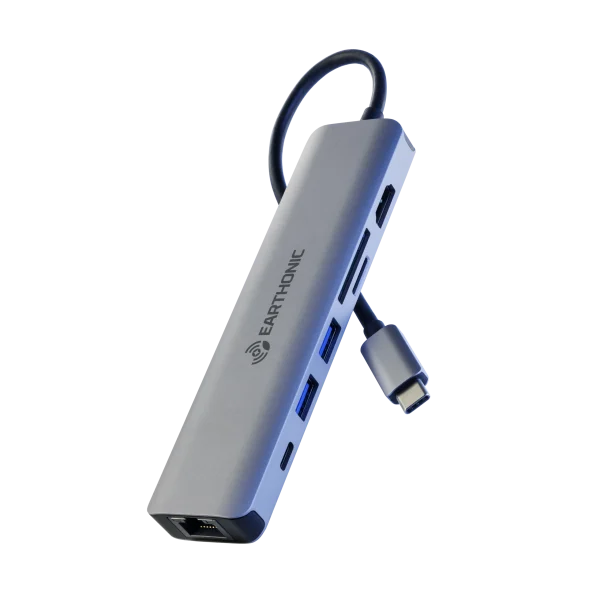
- What you need: A portable usb c hub with multiple USB-A ports, HDMI, RJ45 Ethernet, and SD/Micro SD card slots.
- Recommended Hub: Earthonic 7-in-1 USB-C Hub (HDMI 4K@60Hz + 3x USB-A + RJ45 + SD + Micro SD + 100W PD)
- Why it works: At ₹1,738, this is your command center. The 4K @ 60Hz HDMI (with DP1.4 Alt Mode) delivers buttery smooth visuals. The 1000Mbps Ethernet ensures rock-solid internet for video calls or cloud uploads. Dual card readers let you pull photos from your camera instantly. And with 100W Power Delivery with Fast Role Swap, your MacBook Pro M4 stays charged even under heavy load. For Air users, this single hub unlocks a full desktop experience. For Pro users, this adds the USB-A ports and Ethernet that Apple still refuses to include.
- Best for: Video editors, photographers, streamers, and data-heavy professionals.
Ready to Complete Your M4 Setup?
From 2-in-1 minimalists to 7-in-1 power users
Explore Earthonic’s full range of USB-C hubs designed for MacBook and beyond.
MacBook Air M4 Dual Monitor: The Hidden Detail
Here’s something many buyers miss. The MacBook Air m4 dual monitor capability exists, but only through DisplayLink technology or specific hub configurations. Standard M4 Air chips (non-Pro/Max) typically support only one external display natively.
If dual monitors are non-negotiable for you, look for hubs with DisplayLink support or consider whether you actually need the Pro chip. The M4 chip MacBook family has variations, and your hub choice won’t magically add display outputs if the chip itself is the limitation.
Which Hub for Which User? A Quick Decision Matrix for your MacBook
| Your Daily Tasks | Best Hub | Why |
| Presentations, emails, light browsing | Earthonic 2-in-1 | Smallest, cheapest, solves the HDMI gap |
| Office desk, monitor, peripherals | Earthonic 3-in-1 | One-cable setup with USB-A support |
| Video editing, photography, streaming | Earthonic 7-in-1 | Unlocks full desktop potential |
| Already has HDMI + SD card | Earthonic 3-in-1 | Adds USB-A without redundancy |
| Studio work, Ethernet needed | Earthonic 7-in-1 | Adds wired network + multiple USB-A |
The Verdict: Stop Overbuying
The MacBook Pro vs. Air hub needs are fundamentally different. Pro users don’t need a hub for HDMI or SD cards; those are already on the machine. What Pro users need are USB-A ports and Ethernet. Air users need everything.
If you own a MacBook Air M4, you need a hub. Full stop. The 2-in-1 is your budget-friendly entry, but the 3-in-1 is the sweet spot for most users.
If you own a MacBook Pro M4, ask yourself honestly: Do I actually need a hub? If you only use USB-C devices, maybe not. But if you have older USB-A peripherals, the 3-in-1 is perfect. For studio work, the 7-in-1 is your best friend.
Don’t pay for ports you’ll never use. Match the hub to your real workflow.
Deepen Your Tech Knowledge
Choosing the right accessory is about understanding your entire ecosystem. Dive into these resources to make smarter decisions:
Our most popular hub for MacBook Air M4 users.
Add HDMI, USB-A, and 100W charging through a single port.
Buy now at just ₹920.